
 Español
 Français
 Deutsch
 Italiano
 Português

 Mega Packs
 Arcade Cabinet Kits
 Vinyls
 Monitors
 Arcade Stools
 Arcade Components
 T-Molding and U-Molding
 Gaming furniture
 Outlet
Emulators
CRT shaders on your arcade machine: how to make the monitor look like an arcade cabinet’s
Nov
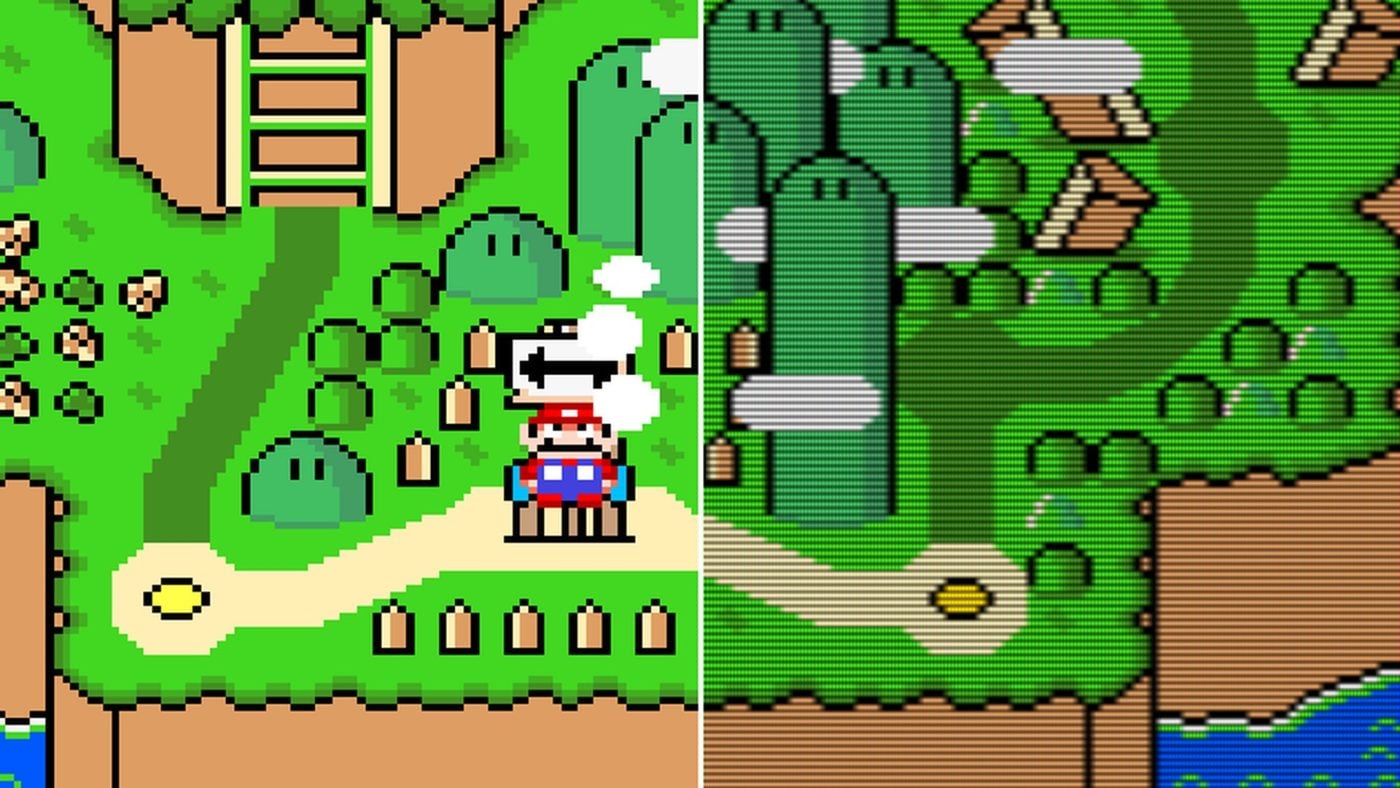
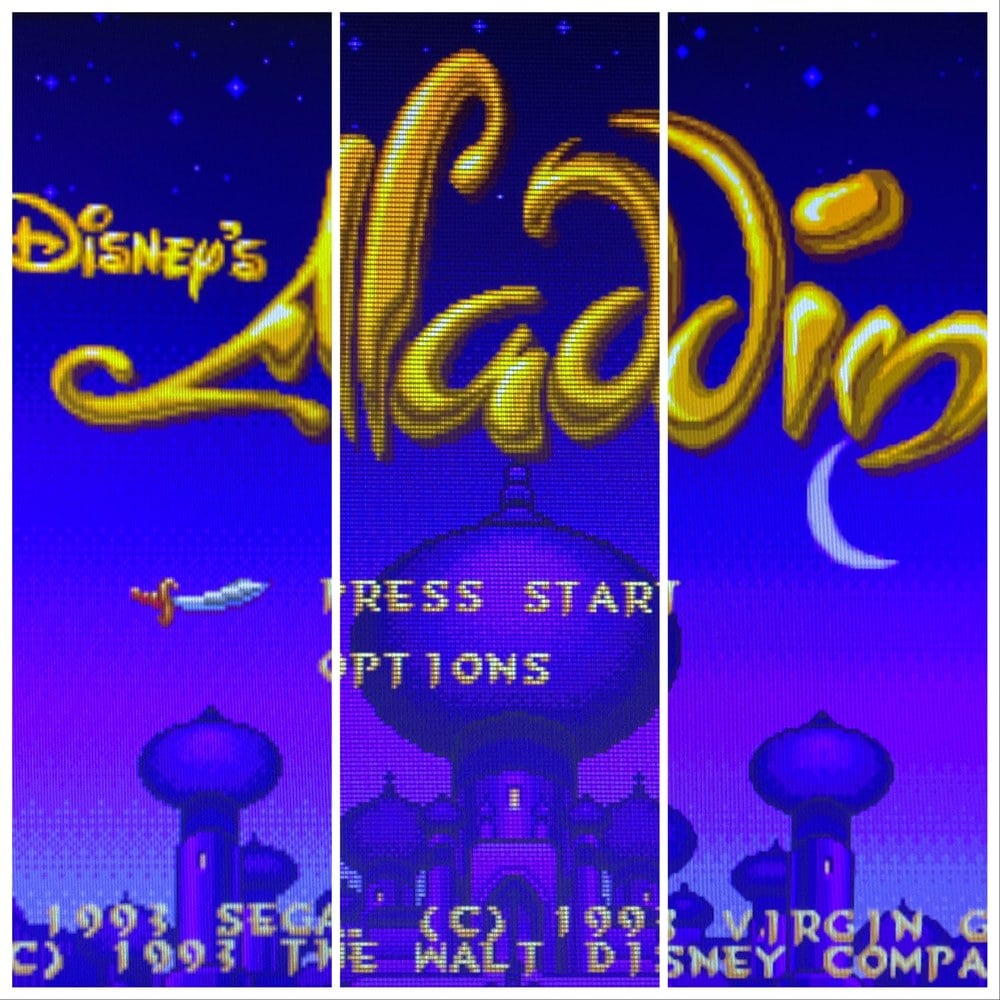
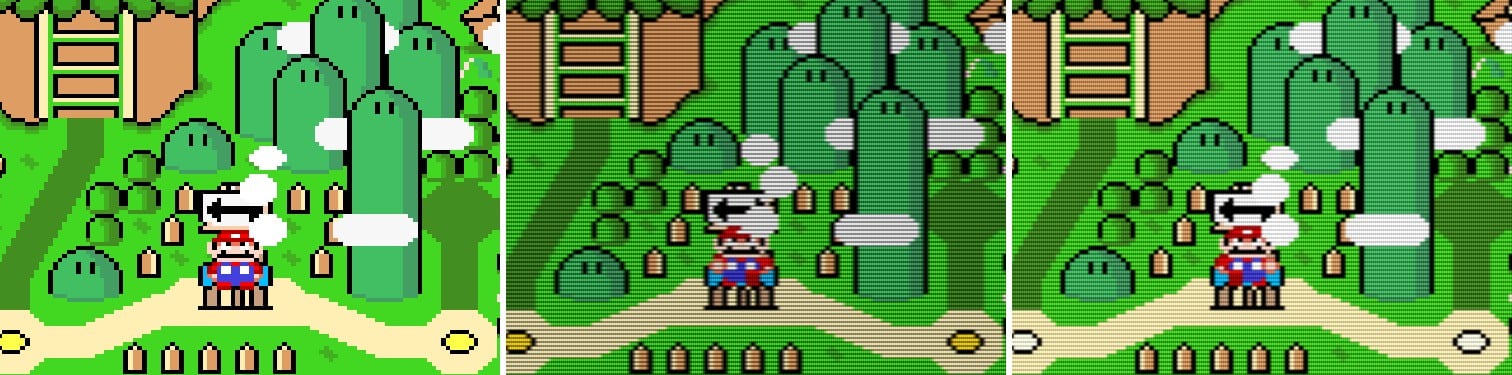
A flat monitor shows the pixels of an eighties or nineties game exactly as they are: square, sharp and hard-edged. On the tube of an amusement arcade they looked different, with scanlines, slightly blended colours and curved glass. A CRT shader is a filter that imitates that screen, and in Batocera and RetroBat you turn it on from the menu.
In this guide we explain what a shader is, which sets Batocera and RetroBat include, which ones run on a Raspberry Pi and which need a PC, and what other settings are worth adjusting. The information comes from each project’s documentation, consulted on 3 November 2026.
What is a shader?
A shader is a small program that touches up the game’s image before sending it to the screen. The libretro documentation describes them as graphics filters that can improve the image of older games or reproduce the look of a CRT monitor. Several can be chained together, and that combination is saved as a preset (.slangp or .glslp files). RetroArch comes with a huge number of them.
There is a limitation worth knowing from the start: these shaders only work with RetroArch cores and a few standalone emulators. The Batocera wiki warns that most standalone emulators, such as Dolphin, Cemu or RPCS3, don’t use them, and that this isn’t going to change. For arcade emulation it isn’t usually a problem, because FBNeo and MAME have a RetroArch core.
Batocera’s shader sets
Batocera groups shaders into sets that you choose in the game settings, under the shader set option (SHADER SET in the English menu). You can pick one for everything, or a different one for each system or each game. These are the ones it includes:
- Scanlines: according to the wiki, the most realistic for the look of the eighties and nineties. It adds scanlines, without curvature. On a PC it uses the crt-easymode shader; on a Raspberry Pi, crt-pi.
- Curvature: scanlines plus the curved screen of tube televisions. On a PC it uses crt-lottes-fast; on a Raspberry Pi, fakelottes.
- Zfast: a version of the zfast algorithm, with softer scanlines. The wiki describes it as lighter than the others.
- Flatten-glow: makes the lights glow. The wiki says it looks great on the Vectrex and on old arcade cabinets with black backgrounds, and that in very colourful games it can make you dizzy.
- Enhanced and sharp-bilinear-simple: these don’t imitate a CRT. The first smooths the image and the second is a sharper bilinear filter.
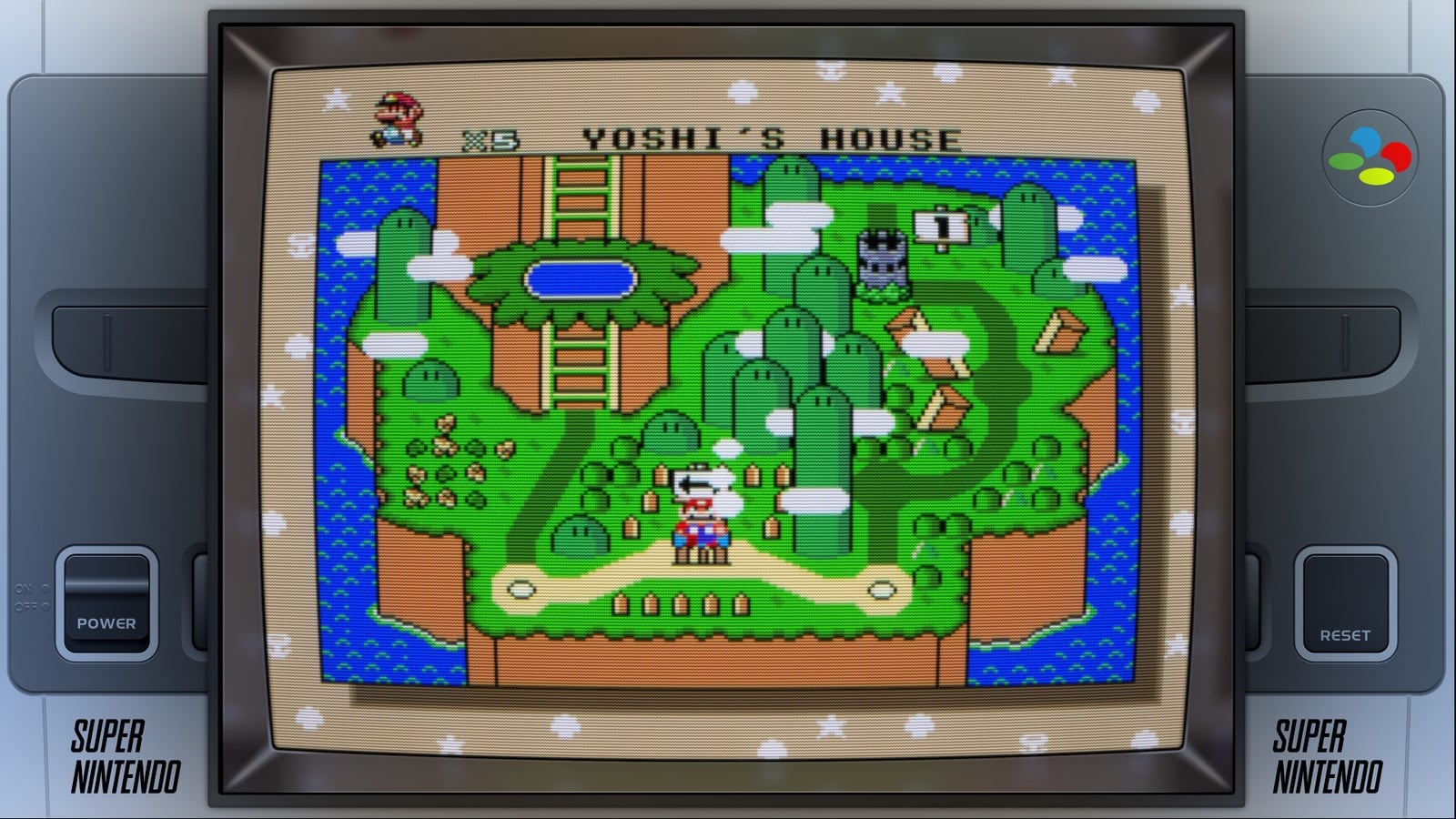
- Mega-Bezel and Koko-AIO: optional packages that you download from Batocera’s content downloader. They place the image inside an old television, with a frame and reflections. Both require the GLCore or Vulkan graphics API and the aspect ratio set to “Full”.
You don’t choose whether a set uses a different shader on a PC and on a Raspberry Pi: Batocera installs the lightweight version on every Raspberry Pi, from the Pi 0 to the Pi 5, according to the configuration in its repository.
If you want a different RetroArch shader
Set the shader set to “None” and choose the shader from RetroArch’s quick menu, in the shaders section. The Batocera wiki explains that, with the set on “None”, Batocera doesn’t touch what you save there. From that menu you can save the preset for a game, for a core or for everything.
In RetroBat
RetroBat works the same way: the shader set is chosen in GAME SETTINGS (Shader set), and also per system or per game in its advanced options. It comes with its own list, and its wiki explains how to add any other RetroArch shader by creating a folder in systemshadersconfigs with a rendering-defaults.yml file. The Mega Bezel package is also available, and you turn it on from the same option. For some standalone emulators, RetroBat uses ReShade to add shaders and frames.
If you’re just getting started with RetroBat, you’ll find everything in our RetroBat guide.
Raspberry Pi or PC?
Shaders use up graphics power, and the Batocera wiki lists them among the things that slow games down on hardware with little headroom. This is what their authors say:
- crt-pi was designed for the Raspberry Pi’s graphics, to run at 1080p and 60 frames per second with 4:3 games. Its author warns that curvature slows it down a lot and that the Pi only just copes, and recommends raising the Pi’s clock speed to the maximum from raspi-config.
- zfast, according to its author, runs at 60 frames per second on a Raspberry Pi 3 at 1920×1080.
- Mega-Bezel is very demanding: the Batocera wiki reserves it for powerful desktop PCs. Koko-AIO needs much less: according to the same wiki, it runs at full speed even on an Intel N100 processor, the one found in many mini PCs.
If you’re going to fit a mini PC in your machine, What PC do I need for emulation? explains what each system needs. And if your machine has a Pandora board, none of this applies: it’s a closed system, with its own games and menu, and it doesn’t load RetroArch shaders. The differences between the three options are covered in What system to choose for your arcade machine?.
Three settings that go with the shader
- Aspect ratio. Most televisions and monitors of the eighties and nineties were 4:3. On a 16:9 monitor this leaves two bars at the sides, which Batocera and RetroBat can fill with decorations (bezels). RetroBat even includes some for vertical arcade cabinets.
- Integer scaling (pixel perfect). It enlarges the image only by whole-number multiples, so the pixels aren’t distorted. The downside is that it can leave a black border around the game. You’ll find it in the game settings of both Batocera and RetroBat.
- Smoothing (smooth games). You don’t need to turn it off by hand: Batocera disables it automatically when you use a shader set.

On your bartop
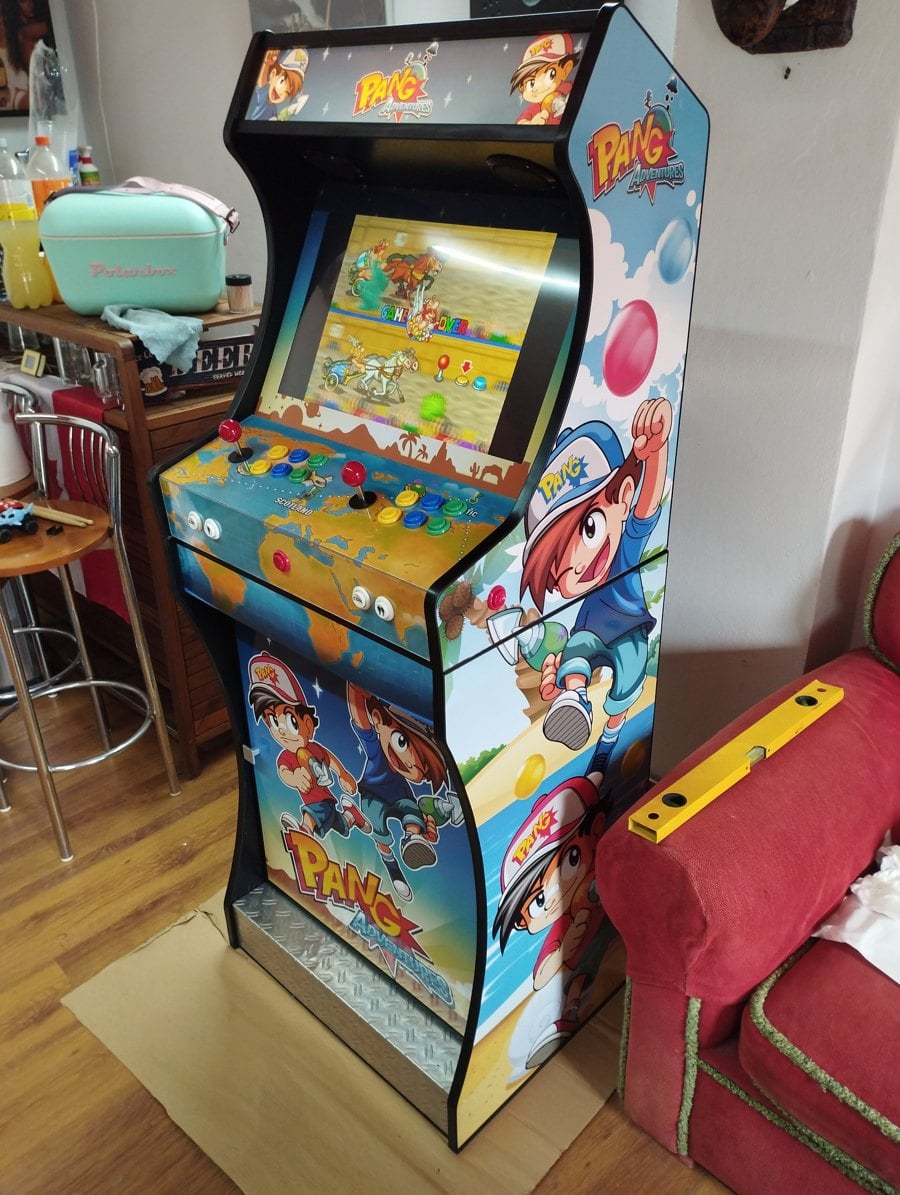
On a cabinet with a flat monitor, a shader brings the picture much closer to that of an amusement arcade cabinet. If you don’t have the machine yet, the King megapack with USB interfaces comes with the controls and USB interfaces to connect them to your Raspberry Pi or your PC, and the King kit with curved pedestal and door is the cabinet in the photo below, with our Pang vinyls.
Frequently asked questions
Which shader should I start with?
The Scanlines set. Batocera already uses the right version for your hardware, and if it feels like too much, try Zfast.
Does it work on a Raspberry Pi?
Yes. Scanlines and Curvature switch to lightweight shaders automatically, and Zfast already is one. Mega-Bezel doesn’t.
Does it work with every emulator?
No. Only with RetroArch cores and a few standalone emulators.
Does it affect performance?
Yes. If a game runs slowly, choose a lighter set or turn it off.
Sources
Consulted in November 2026:
- Batocera wiki: shader sets, settings menu and latency and performance.
- Batocera: shader set configuration.
- RetroBat wiki: main menu, adding RetroArch shaders and decorations.
- libretro: introduction to shaders, shaders guide and shader repository, with the notes on crt-pi and zfast.