
 Español
 Français
 Deutsch
 Italiano
 Português
 Mega Packs
 Arcade Cabinet Kits
 Vinyls
 Monitors
 Arcade Stools
 Arcade Components
 T-Molding and U-Molding
 Gaming furniture
 Outlet
Emulators
What PC do I need for emulation? Requirements by system and which mini PC to put in your arcade machine
Oct
If you’re going to put a computer in your arcade machine, the question comes up right away: what PC do I need to emulate the games I want to play? You don’t need a 2,000-euro rig to play Metal Slug, but not just anything will do if you’re after PlayStation 2, Wii U or PS3.
In this guide we go system by system: which emulator is used, what its own developers say it needs at a minimum, and which mini PC is enough to run it inside a bartop. If you’re still not sure whether a PC, a Raspberry Pi or a Pandora suits you best, start with Which system should you choose for your arcade machine? and come back here once you’ve decided.
Three things that matter more than the graphics card
Almost every hardware guide for emulation ranks machines by how much memory the graphics card has. That’s a mistake: for emulation, what really counts is the processor.
1. The processor, and above all how fast each core is
An emulator has to mimic the original console’s processor, and most of that work runs on a single thread. That’s why the speed of each core matters more than having lots of them. The emulators themselves say so: PCSX2 (PS2) and Azahar (3DS) state their requirements as PassMark single-thread scores, and Dolphin (GameCube and Wii) asks for “high clock speed and high performance per clock” ahead of more cores.
A clear example: the AMD FX-6300 and FX-8350 have six and eight cores, but each one is slow. The FX-6300 falls short of PCSX2’s minimum and the FX-8350 barely reaches it, while an Intel Core i5-4590 from the same era clears it comfortably.
2. If the graphics are integrated, the RAM has to run in dual channel
Mini PCs and Ryzen chips with integrated graphics have no video memory of their own: they use the system RAM. With a single memory module, the graphics get half the bandwidth. In Notebookcheck‘s tests, a Radeon 780M with a single module performed almost 40% worse than average. RPCS3 (PS3) explicitly asks for 16 GB in dual channel.
Rule of thumb: if you buy a mini PC, make sure it comes with two RAM modules, or has a free slot for the second one. Watch out for the Intel N100 and N150: they have a single memory channel by design, and a second module won’t fix that.
3. The graphics must support Vulkan
Many current emulators run better, or only run at all, with Vulkan or with modern versions of DirectX and OpenGL. Intel HD 2000, 3000 and 4000 integrated graphics (2nd- to 4th-generation Core processors) don’t support Vulkan on Windows, and Dolphin doesn’t support anything older than the HD 4000. An old office PC is fine for retro, but it’s ruled out for many 3D emulators.
Requirements for emulating each system
The requirements in each section come from each emulator’s official documentation (you’ll find the links at the end). Emulators don’t publish lists of mini PCs, so the “Mini PC that does the job” line is our own estimate: we cross-checked their requirements against each processor’s PassMark scores.
Classic arcade: MAME and FinalBurn Neo
This is what gets played most on an arcade machine: Capcom arcade games (CPS1 and CPS2), Neo Geo, Konami, Taito…
- The minimum: MAME asks for a 64-bit processor with SSE4.2 instructions and 64-bit Windows 10. Current versions of MAME no longer run on a Core 2 Duo or a Phenom.
- Watch out for 3D: MAME renders 3D games in software, on the processor, so 3D arcade games are far more demanding than 2D ones.
- Mini PC that does the job: an Intel N100 for all 2D games; for MAME’s 3D games, a Ryzen with a Radeon 780M is a better bet.
8- and 16-bit consoles: RetroArch
NES, Super Nintendo, Mega Drive or Master System run on practically any computer. What drives up resource use are two extras that are well worth having on an arcade machine:
- Run-ahead: it cuts the lag between pressing a button and seeing the action on screen. To do that, RetroArch runs each frame several times, so the more frames you run ahead, the more processor power it uses.
- CRT shaders: they mimic the scanlines and glow of a tube monitor. The more elaborate ones, such as crt-royale, put a heavy load on the graphics; their own documentation warns that with the default settings they’re a problem for almost any GPU.
- Mini PC that does the job: an N100 with one or two frames of run-ahead and a light CRT shader. For crt-royale at 1080p, a Ryzen with a 780M.
PlayStation 1: DuckStation
- The minimum: a 64-bit processor with SSE4.1 and graphics with OpenGL 3.1 or Vulkan. Its author says, literally, that anything “faster than a potato” will do.
- Mini PC that does the job: any N100, even at higher resolutions.
Nintendo 64
In RetroArch you use the Mupen64Plus-Next or ParaLLEl core; outside RetroArch, Rosalie’s Mupen GUI or gopher64 (simple64 stopped being developed in 2025).
- The minimum: the most accurate mode, ParaLLEl-RDP, needs graphics with Vulkan 1.1. According to its author, it runs especially well on integrated graphics.
- Mini PC that does the job: an N100 in normal mode; for ParaLLEl at higher resolutions, a Ryzen 5 5600U or better.
Dreamcast, Naomi and Atomiswave: Flycast
This covers many Sega arcade games from the 2000s, such as Marvel vs. Capcom 2 or Dead or Alive 2. Flycast doesn’t publish minimum requirements; it runs on Vulkan or OpenGL.
- Mini PC that does the job: an N100 at native resolution or double that.
Sega Model 2 and Model 3
Daytona USA, Virtua Fighter 2, Sega Rally 2 or Scud Race.
- Model 2 is emulated with Model 2 Emulator, a 32-bit Windows program that hasn’t been updated since 2014. It isn’t demanding: an N100 is enough.
- Model 3 is emulated with Supermodel, which asks for “a modern 64-bit processor and a mid-range graphics card” to run at 60 fps. The original board’s processor, the graphics and the interface all run on the same thread, so single-core speed is what counts. Mini PC that does the job: a Ryzen 5 5600U or better.
If you’re using a Raspberry Pi instead of a PC, Recalbox already runs a good chunk of Model 3 on the Raspberry Pi 5: we cover it in Recalbox 10.1: what’s new.
PSP and Nintendo DS: PPSSPP and melonDS
- PSP: according to PPSSPP, it runs on “almost any PC from the last 15 years,” with Vulkan, DirectX 11 or OpenGL.
- Nintendo DS: melonDS can render in software, on the processor, or with OpenGL, which takes work off the CPU.
- Mini PC that does the job: an N100 for both.
PlayStation 2: PCSX2
This is the system where the gap between a weak machine and a good one shows the most. PCSX2 publishes three tiers based on PassMark single-thread scores:
- Minimum: a processor with SSE4.1, 2 cores with 4 threads and a single-thread score of 1,500 or more (official examples: i7-2760QM or FX-8350). Graphics with Vulkan 1.1, DirectX 11 or OpenGL 3.3. 8 GB of RAM.
- Recommended: a processor with AVX2, 4 cores and a single-thread score of 2,000 or more (i7-4790 or Ryzen 5 1600). A graphics card with 4 GB of memory and Vulkan 1.3 or DirectX 12. 16 GB of RAM.
- For much higher resolutions: a single-thread score of 2,600 or more and 6 cores (i7-8700K or Ryzen 5 3600X), with an 8 GB graphics card.
- Mini PC that does the job: an N100 sits just below the recommended tier and only runs lighter games well at native resolution. A Ryzen 5 5600U has processor power to spare, but its Vega graphics limit it to one or two times native resolution. With a Radeon 780M you can play comfortably at 1080p.
GameCube and Wii: Dolphin
- The minimum: a 64-bit dual-core processor with a high clock speed. Graphics with DirectX 11.1 or OpenGL 4.4. 2 GB of RAM and Windows 10 or later.
- Recommended: 4 fast cores. Dolphin explicitly advises against low-power U- and Y-series processors.
- Mini PC that does the job: because of that warning, you’re better off with an HS-series Ryzen with a Radeon 780M, which also gets you 1080p. A Ryzen 5 5600U will run many games, but not all of them.
Nintendo 3DS: Azahar
After Citra shut down in 2024, the emulator people use today is Azahar, born from the merger of two versions of Citra that had kept going.
- The minimum: a processor with SSE4.2 and a PassMark single-thread score above 1,800. Graphics with OpenGL 4.3 or Vulkan 1.1. 2 GB of RAM (4 recommended).
- Mini PC that does the job: an N100 is right at the limit, because its single-thread score is around 1,880. With a Ryzen 5 5600U you have plenty of headroom.
Wii U: Cemu
- The minimum: a Ryzen 3 or an Intel Core i5; Cemu advises against AMD processors older than Ryzen. Graphics with OpenGL 4.5 or Vulkan 1.2, at least on the level of a GeForce GTX 700 or a Radeon HD 7000. 4 GB of RAM (8 recommended).
- Watch out: Cemu doesn’t officially support integrated graphics, and support for Intel’s is limited.
- Mini PC that does the job: a Ryzen with a Radeon 780M, bearing in mind that it runs without official support.
PlayStation 3: RPCS3
It’s the most demanding system on this list that can still be played well on a mini PC.
- The minimum: any 64-bit processor, but RPCS3 warns that without AVX2, or with 4 threads or fewer, it will perform poorly. 8 GB of RAM.
- Recommended: 6 cores and 12 threads, an AMD Ryzen 5000 series (Zen 3) or later, or a 10th-generation Intel Core or later. Graphics with Vulkan 1.2: AMD Radeon RX 5000 or later, or NVIDIA GTX 1600 / RTX 2000 series or later. 16 GB of RAM in dual channel.
- Watch out with Intel: RPCS3 doesn’t recommend any Intel graphics. N100 mini PCs are ruled out.
- Mini PC that does the job: with a Ryzen 5 5600U or a 5600G the processor is up to it, but the Vega graphics fall short and only lighter games will run. With a Ryzen 7 7840HS or 8845HS (Radeon 780M) a good part of the library works, and a Ryzen AI 9 HX 370 (Radeon 890M) is the best you can get in a mini PC today.
Xbox 360: Xenia Canary
- The minimum: a 64-bit processor with AVX (6 cores recommended) and graphics with DirectX 12 or Vulkan; it doesn’t work with OpenGL or DirectX 11. 4 GB of RAM (6 recommended).
- Recommended: graphics on the level of a GeForce GTX 980 Ti, which no integrated GPU can match yet.
- Mini PC that does the job: one with a 780M or 890M for lighter games. For serious gaming you need a PC with a dedicated graphics card.
PC-based arcade games: TeknoParrot
From the 2000s on, many arcade machines were already computers on the inside: Taito Type X, Sega Lindbergh or RingEdge. That’s where you’ll find games like Street Fighter IV, The King of Fighters XIII, BlazBlue or Outrun 2 SP. TeknoParrot runs them on Windows.
- Requirements: TeknoParrot doesn’t publish hardware requirements. The sensible move is to go for a machine with a dedicated graphics card and check each game on its compatibility list.
- Watch out: TeknoParrot is Windows-only and Batocera doesn’t include it, although it does come with its own loader for Sega Lindbergh games. If these arcade games interest you, check out our guide to RetroBat, which integrates it.
What about Nintendo Switch and PS4?
We don’t cover them in this guide. The best-known Switch emulators shut down in 2024 after legal action by Nintendo, and the situation with the remaining ones changes every few months; in fact, Batocera no longer includes Switch emulation. The PS4 emulator, shadPS4, is still at an early stage of development.
Summary table: what you need for each system
| System | Emulator | The minimum (according to the emulator) | Mini PC that does the job (estimate) |
|---|---|---|---|
| 2D arcade (CPS1, CPS2, Neo Geo) | MAME, FinalBurn Neo | 64-bit with SSE4.2 (MAME) | Intel N100 |
| 8- and 16-bit | RetroArch | Any PC | Intel N100 |
| PlayStation 1 | DuckStation | 64-bit with SSE4.1, OpenGL 3.1 or Vulkan | Intel N100 |
| Nintendo 64 | Mupen64Plus, ParaLLEl | Vulkan 1.1 (ParaLLEl) | Intel N100 |
| Dreamcast, Naomi, Atomiswave | Flycast | Not published | Intel N100 |
| PSP and Nintendo DS | PPSSPP, melonDS | Almost any PC | Intel N100 |
| Sega Model 3 | Supermodel | Modern 64-bit CPU, mid-range graphics | Ryzen 5 5600U |
| PlayStation 2 | PCSX2 | SSE4.1, 1,500 single-thread, 8 GB | Ryzen 5 5600U (1080p: Radeon 780M) |
| GameCube and Wii | Dolphin | Fast dual-core, DirectX 11.1 or OpenGL 4.4 | Radeon 780M |
| Nintendo 3DS | Azahar | SSE4.2, over 1,800 single-thread | Ryzen 5 5600U |
| Wii U | Cemu | Ryzen 3 or Core i5, OpenGL 4.5 or Vulkan 1.2 | Radeon 780M |
| PlayStation 3 | RPCS3 | 64-bit, better with AVX2 and more than 4 threads | Radeon 780M or 890M |
| Xbox 360 | Xenia Canary | AVX, DirectX 12 or Vulkan | Dedicated graphics card |
| PC-based arcade | TeknoParrot | Not published (Windows only) | Dedicated graphics card |
Which mini PC to put in your arcade machine
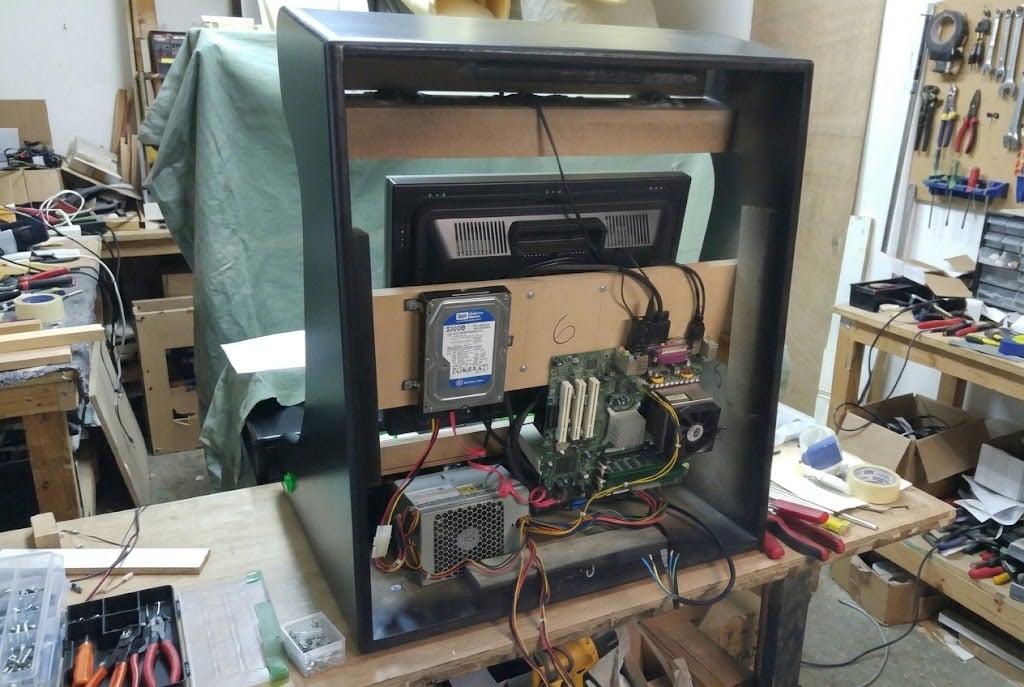
Inside a bartop, a mini PC has every advantage: it takes up about as much space as a book, runs cool and uses far less power than a tower. Depending on how far you want to go, these are the four tiers that make sense today:

- Intel N100 or N150. 2D arcade, 8- and 16-bit consoles, PS1, N64, Dreamcast, Naomi, PSP, DS and lighter PS2 games. It’s the cheapest option and the one that runs coolest, but it’s no good for PS3 and it’s borderline for 3DS.
- Ryzen 5 5600U or 5625U (or a Ryzen 5 5600G if you’re building a desktop). Adds PS2 at one or two times native resolution, 3DS, Model 3 and many GameCube and Wii games. On PS3, only lighter games.
- Ryzen 7 7840HS or 8845HS with Radeon 780M (or a desktop Ryzen 5 8600G). The sweet spot for a bartop: PS2 and GameCube at 1080p, Wii U and a good part of the PS3 library.
- Ryzen AI 9 HX 370 or a PC with a dedicated graphics card. For demanding PS3 games, Xbox 360 and PC-based arcade games with TeknoParrot.
Whichever you choose, remember what we said earlier: dual-channel RAM (except on the N100 and N150, which don’t have it) and an SSD.
How the PC fits into your machine
- The controls: the joysticks and buttons connect to the PC over USB through a Zero Delay interface, one per player. The computer recognizes it as just another controller, and you only have to map the buttons the first time.
- The system: if you want the machine to boot straight into the games, without going through the desktop, the easiest option is Batocera. If you’re going to use TeknoParrot or Steam games, you need Windows, and there RetroBat gives you a similar experience. We compare them in more detail in our guide to arcade emulation systems.
- The games: emulators don’t come with games or BIOS files. You have to use copies of the games and consoles you own the originals of.
If you want the complete cabinet with everything you need to connect your PC, our packs with USB interfaces include the cabinet, the vinyl graphics, the joysticks, the buttons and a Zero Delay interface per player with its wiring. You supply the PC.
Frequently asked questions
Will an old PC I have at home do?
For 8- and 16-bit consoles and for PS1, almost certainly yes. For arcade, it depends: current versions of MAME need SSE4.2, and Core 2 Duo and Phenom processors don’t have it. From PS2 and GameCube upward, what decides it is the processor’s single-thread score: look it up on PassMark and compare it with the requirements in this guide.
Do I need a dedicated graphics card?
For almost everything, no, as long as the integrated graphics are a modern Radeon, like the 780M, and the RAM runs in dual channel. Keep in mind that Cemu (Wii U) doesn’t officially support integrated graphics, and that not the whole PS3 library will run. A dedicated graphics card becomes necessary for Xbox 360, for TeknoParrot or if you want to play at very high resolutions.
How much RAM do I need?
8 GB is enough for almost everything up to PS2. For PS3, 16 GB in dual channel, which is what RPCS3 asks for.
Is a mini PC or a Raspberry Pi better?
The Raspberry Pi 5 is cheaper and comfortably handles everything up to Dreamcast and Naomi, plus a good chunk of Model 3 with Recalbox 10.1. If you want PS2, GameCube or anything beyond that, you need a PC. You’ll find the full comparison in Which system should you choose for your arcade machine?
Sources
Official requirements for each emulator, checked in October 2026:
- MAME: official documentation and performance FAQ.
- RetroArch: run-ahead and crt-royale.
- DuckStation, ParaLLEl-RDP, Flycast and Supermodel.
- PPSSPP and melonDS.
- PCSX2, Dolphin, Azahar and Cemu.
- RPCS3 and Xenia Canary.
- Processor scores: PassMark.