
 Español
 Français
 Deutsch
 Italiano
 Português

 Mega Packs
 Arcade Cabinet Kits
 Vinyls
 Monitors
 Arcade Stools
 Arcade Components
 T-Molding and U-Molding
 Gaming furniture
 Outlet
Emulators
Native ports, recomps and decomps: what they are and what they bring to your arcade machine
Nov
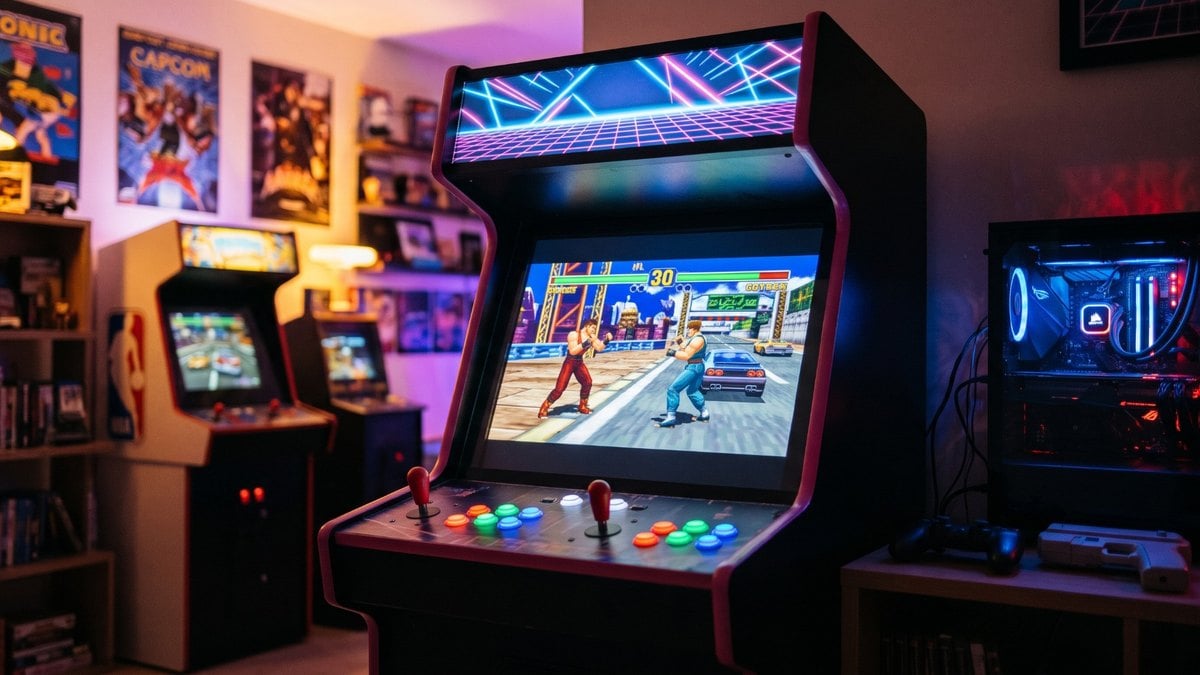
For years, playing an arcade game at home has meant the same thing: an emulator that mimics the original board and loads the game as it is. Now there’s another route that’s moving fast. Some people are turning games into native PC programs, and that makes possible things emulation can’t give you, like Virtua Fighter in widescreen or Time Crisis at 240 frames per second.
In this guide we explain what native ports, decompilations and recompilations are, what you gain from them in an arcade machine and which arcade projects you can already play. The information comes from each project’s GitHub page and from the Batocera and RetroBat wikis, checked in early November 2026. None of these projects includes the game: they all ask for the files from your own copy, and we don’t link to any game downloads here.
Emulating or converting the game: the difference
An emulator makes your computer act as if it were the original board: it interprets the arcade processor’s instructions one by one, mimics its video chip and its sound chip, and the game runs without knowing it isn’t on its own machine. It works with thousands of games, but the game stays tied to what its board could do: its resolution, its screen format and its speed.
A native port is the game itself turned into a Windows, Linux or macOS program. There’s no longer a board to imitate, so you can change what used to be untouchable: open the picture up to widescreen, raise the resolution, draw more frames per second or add online play. There are three ways to get there.

Decompilation (decomp)
It means writing by hand, from scratch, C or C++ source code that, when compiled, produces exactly the same program as the original. That’s how Decompedia, this community’s wiki, defines it. It’s a huge amount of work, and once the code is finished the game can be adapted to any system. The best-known example is Super Mario 64, whose decompilation project makes it clear that you need a copy of the game to extract the graphics and sounds.
Static recompilation (recomp)
Here the game isn’t rewritten by hand. A tool automatically translates the original processor’s instructions into C code, function by function, and that code is compiled for whatever system you want. The go-to tool is N64Recomp, which was used to make the Majora’s Mask port. Its big advantage is that it lets you make ports without having the source code. The hardware around the processor (graphics, sound, controls) is reprogrammed separately.
Reimplementation
This means rewriting the game’s engine based on how the original works. That’s how CannonBall, the OutRun engine, came about: its author converted the arcade game’s original code, which was written in assembly, to C++.
What your arcade machine gains from a native port
- True widescreen: it’s not stretching the picture. The game draws more of the scene at the sides, and the score display moves to the corners. On a 16:9 monitor the black bars disappear.
- Higher resolution and smoother motion: Model 1 or System 22 polygons look sharp on a modern monitor, and some projects draw as many frames per second as your screen can handle.
- Configurable controls: almost all of them let you map the buttons from a menu, including those on an arcade control panel.
- Things the original didn’t have: online play, cheats or new soundtracks, depending on the project.
Now, here’s what they don’t give you:
- A port is one game: each project converts one title, or a very specific family of games. For everything else you’ll still need the usual emulators.
- Many are just getting started: several on this list are in alpha and only the first levels have been tested.
- They don’t run on a Pandora board: they’re programs for Windows, Linux or macOS, so you need a Raspberry Pi or a PC inside the machine. And most of them, for now, only run on PC.
If you haven’t chosen yet, in Which system should you choose for an arcade machine? we compare Pandora, Raspberry and PC, and in What PC do I need for emulation? you’ll find which computer you need for each case.
Arcade games you can already play this way
Virtua Fighter (Sega Model 1)
The first 3D fighting game in history is, right now, one of the most complete arcade ports. vf1-recomp is a static recompilation that already has ready-to-use builds for Windows, macOS, Linux and Raspberry Pi 5.
- What it adds: up to 6 times the original resolution, widescreen and ultrawide, smooth motion in step with your screen, secret characters, cheats and online play (the last one is experimental).
- Controls: it supports two players, and arcade sticks it doesn’t recognise out of the box can be set up from the menu.
- What you need: the files from your copy of the original arcade game.
Daytona USA (Sega Model 2)
daytona-arcade-recomp translates the board’s three processors (the main one, the geometry one and the sound one) into native code, with no emulator in between. It runs on Windows, macOS and Linux.
- What it adds: 16:9 and 21:9 widescreen, adjustable draw distance and supersampling (experimental).
- Controls: configurable controller, steering wheel and pedals, with experimental force feedback.
- The catch: there’s no build ready to download. You have to compile it from the code, and the program itself puts the game together from the files of your copy.
Time Crisis, Time Crisis II and Namco’s 90s arcade games
A single project, Namco 2x Systems, covers six games from the System 22 and System 23 boards: Time Crisis, Time Crisis II, Rave Racer, Dirt Dash, Tokyo Wars and Prop Cycle. There are builds for Windows and Linux, and also for Steam Deck.
- Status: all of them are playable. Prop Cycle can be played from start to finish, and so can Dirt Dash, with its five stages. For Time Crisis, the author warns that there may be small differences from the original.
- What it adds: widescreen with a wider field of view, adjustable resolution and 24 to 240 frames per second. Rave Racer supports up to eight players online, and Time Crisis II, two.
- Light guns: both Time Crisis games can be played with a mouse or a gun, although real light guns haven’t been tested yet. If you’re thinking of fitting them, take a look at our guide to light guns for your arcade machine.
OutRun with CannonBall
CannonBall is the veteran of the list and the easiest to get up and running, because Batocera and RetroBat already include it. It uses the files from the original arcade game (revision B) and adds widescreen, more frames per second, controller rumble and the option to use the music from the 3DS and Switch versions, if you extract it from your copy.
It runs on Raspberry Pi. On top of that, the CannonBall-SE fork, designed for home-built cabinets, claims to run at 60 frames per second on a Raspberry Pi 2 and up. Its licence doesn’t allow commercial use: it’s for playing at home.
Scud Race (Sega Model 3)
The Scud Race port is the newcomer of the past few weeks. It runs on Windows, goes up to 8K resolution and supports force feedback steering wheels and local network or online play. Its author explains that it was made with the help of artificial intelligence, starting from a complete decompilation. A word of caution: only the program is published, not the code, so nobody can check what it does under the hood.
Neo Geo: Metal Slug and Neo Drift Out
The neogeorecomp kit applies static recompilation to the Neo Geo, and it already has two games up and running: Metal Slug and the rally game Neo Drift Out. Both run on Windows, Linux and macOS and support two controllers, but they’re in alpha: in Metal Slug only the first mission has been tested, and in Neo Drift Out, the practice mode and the first stage. For now, if you want to play from start to finish, emulation is still the better option.
Console classics that suit a bartop
It’s not all arcade games. These console ports play well with a joystick and buttons:
- Streets of Rage: the Streets of Rage Project recompiles the first Mega Drive game for Windows, Linux and macOS. It has a 16:9 widescreen mode, six-button controls, a computer-controlled partner so you can play solo and the soundtrack in FLAC, generated from the game. It’s very new and puts out new versions almost every day.
- Sonic 1, Sonic 2 and Sonic Mania: their complete decompilations (RSDKv4 and Sonic Mania) come built into Batocera and RetroBat. They need the data from an official version you’ve bought, such as Sonic Origins or Sonic Mania on Steam.
- A Link to the Past and Super Mario World: zelda3 and smw are complete reimplementations in C. Zelda has basic widescreen and fixes more than 30 bugs from the original. That said, you have to compile them yourself.
- Nintendo 64: Ship of Harkinian (Ocarina of Time), Majora’s Mask and Perfect Dark are very polished ports, but they’re designed to be played with a twin-stick controller. With a bartop’s joystick they don’t play as well.
How to install them on Batocera and RetroBat
Batocera comes with CannonBall, the classic Sonic games, Sonic Mania and Sonic 3 A.I.R. built in as systems. You just copy your game’s files into their folder. CannonBall comes disabled and has to be enabled before you use it, and it runs on every board Batocera supports, Raspberry Pi included. Any other native Linux game can be added by hand in the ports folder.
RetroBat, which runs on Windows, goes further. As well as CannonBall and the Sonic games, it integrates Ship of Harkinian, Perfect Dark and other Nintendo 64 ports. It doesn’t include the recompilations: its wiki explains that they’re installed separately and that you supply the game files. If you’re starting from scratch, we have guides to Batocera 43.1 and RetroBat.
The arcade projects we’ve covered (Virtua Fighter, Daytona, the Namco games or Scud Race) aren’t included in either of them: they’re installed separately, like any other program.
What you always need: your copy of the game
None of these projects includes the game. They publish their own code and ask for the files from your copy: the arcade files for Virtua Fighter, Daytona, OutRun or the Namco games; the data from the version you bought for Sonic; or the original cartridge for Streets of Rage or Zelda. We’ve left out of this guide any projects that distribute files from the original game.
To run all this with an arcade joystick, our packs with USB interfaces connect to a Raspberry Pi or a PC like any other controller, and you set them up from each port’s menu.
Frequently asked questions
Is a native port better than emulation?
It depends on the game. When the project is finished, like Virtua Fighter or OutRun, yes: it looks better and adds options the emulator doesn’t have. If it’s in alpha, like Metal Slug, the emulator is still the best choice.
Do they work on a Pandora board?
No. They’re programs for Windows, Linux or macOS and need a Raspberry Pi or a PC.
What about a Raspberry Pi?
Some do. CannonBall runs on Raspberry Pi with Batocera, and Virtua Fighter has a build for Raspberry Pi 5. The Namco games, Daytona and Scud Race are PC-only for now.
Can I play Time Crisis with a light gun?
The Namco port accepts a mouse or a gun, although its author hasn’t tested it with real light guns yet. In our guide to light guns you’ll find which models work on a flat screen.
Where do I get the games?
You need your own copy of the original game. Neither these projects nor OmniRetro provide links to games.
Sources
Accessed in November 2026:
- Definitions: Decompedia and N64Recomp.
- Arcade projects on GitHub: vf1-recomp, daytona-arcade-recomp, Namco 2x Systems, CannonBall, Scud Race and neogeorecomp.
- Batocera: systems, CannonBall and ports.
- RetroBat: other systems and recompilations.