
 Español
 Français
 Deutsch
 Italiano
 Português

 Mega Packs
 Arcade Cabinet Kits
 Vinyls
 Monitors
 Arcade Stools
 Arcade Components
 T-Molding and U-Molding
 Gaming furniture
 Outlet
Emulators
Sound in your arcade machine: speakers, amplifier and Batocera settings
Nov
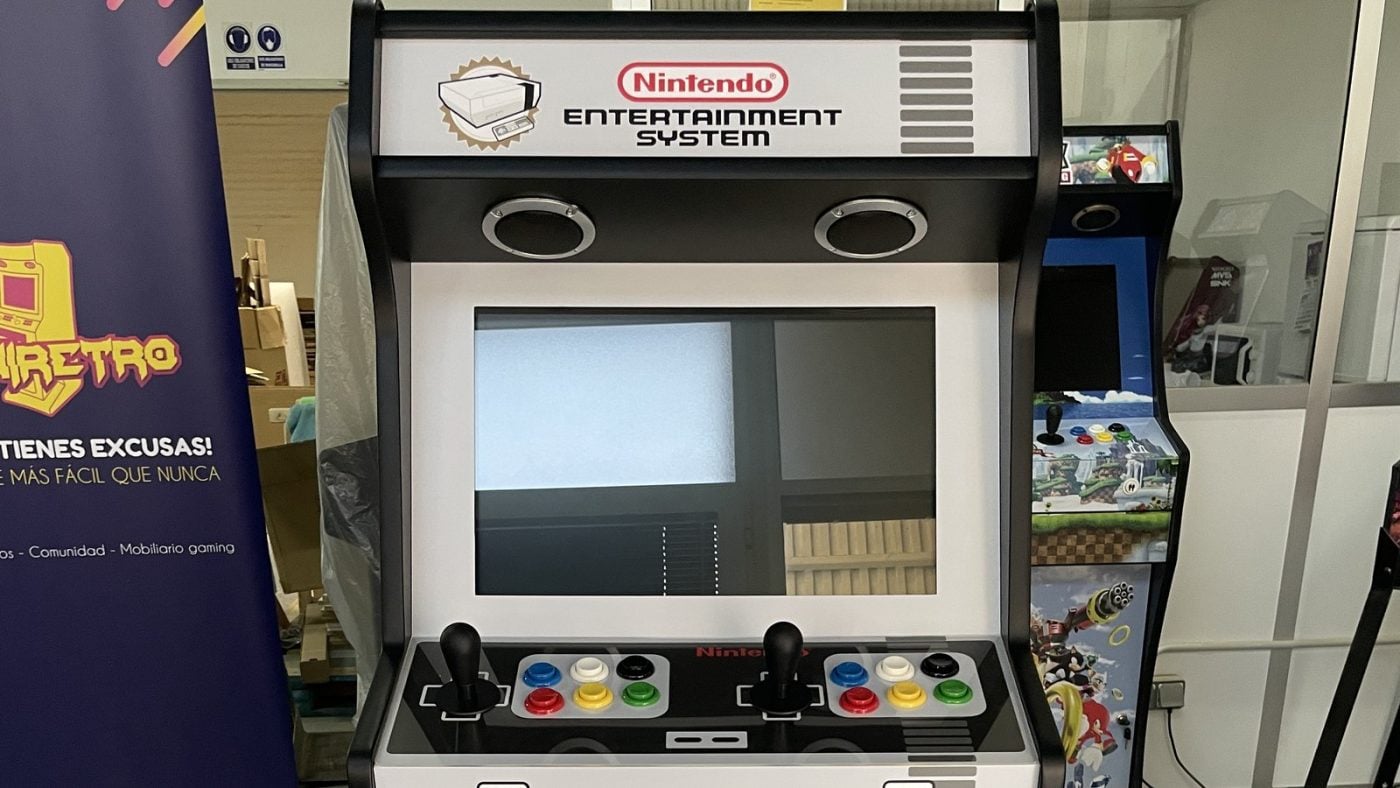
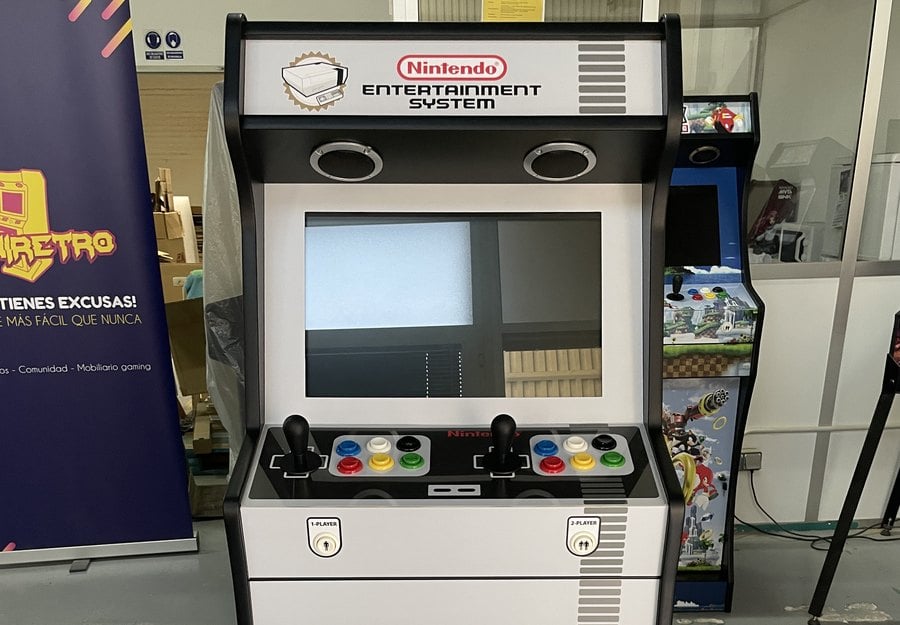
An arcade machine without sound is only half finished, and it’s worth thinking about early, because the speaker holes are made at the workshop. There are two routes: use the speakers built into some monitors, or fit the cabinet with a kit that has an amplifier and two 3″ speakers.
In this guide we explain which holes each of our kits has, how the two sound kits differ, how they connect and what to set in Batocera. The information comes from the product pages for our kits and components and from the Batocera wiki, consulted on 4 November 2026.

The monitor’s speakers or a kit in the cabinet
Some monitors have built-in speakers, such as the Philips 27E1N1100A (2 × 2 W) or the 24″ Philips we sell. It’s the simplest option: the sound travels over the same HDMI cable as the picture and nothing else is needed. That said, the monitor sits inside the cabinet, and the sound comes from behind the screen.
The other option is a sound kit: an amplifier and two 3″ speakers screwed into the holes in the cabinet.
The holes in each cabinet
In each kit’s configurator you choose how the speakers come:
- No holes: the cabinet comes without any holes in the speaker area.
- 3″ holes: the cabinet comes with the holes already made, without speakers.
- 3″ holes with 10 W or 20 W speakers: with the complete sound kit, including its amplifier, power supply and wiring.
These options are available on the Mini, the Premium, the Light, the Nova, the King, the King XL, the Titan, the Pandora Edition, the Wallcade and the Big Wallcade, including their pedestal versions. On the Mini, the Wallcade and the Big Wallcade, the speakers go in the top part of the cabinet. The Pocket and the Player One, which are smaller, have 4 cm holes and don’t have the kit option.
The 3″ holes measure 7.62 cm, exactly what the speakers in both kits need. We don’t make holes in other sizes.
10 W or 20 W kit
| Kit | Amplifier | Speakers | Controls |
|---|---|---|---|
| 10 W | WM-333, 22 W RMS | two 3″, 5 W, 8 ohms | volume, bass, treble and balance |
| 20 W | Lepy LP-838, 2.1 stereo | two 3″, 10 W, 8 ohms | volume, bass and treble |
Both come with the 12 V power supply, speaker cables with faston connectors and an RCA to 3.5 mm jack cable. The 20 W kit is the most powerful sound option, and its amplifier also has an output for adding an active subwoofer later on.


How to connect it
- The speakers: screw them into their holes and connect each one to the amplifier with its red wire and its black wire. In the 10 W kit, the cables have 2.8 mm faston connectors; in the 20 W kit, the faston goes on the speaker and the other end, stripped, goes into the amplifier’s clips.
- The hardware: connect its audio output to the amplifier’s input using the kit’s RCA to 3.5 mm jack cable. According to the product page, it works with a Raspberry Pi, a Pandora or a PC.
- The power: plug in the amplifier’s 12 V power supply.
- The location: the amplifier has its own volume, bass and treble controls, so put it somewhere you can reach them.
Batocera settings
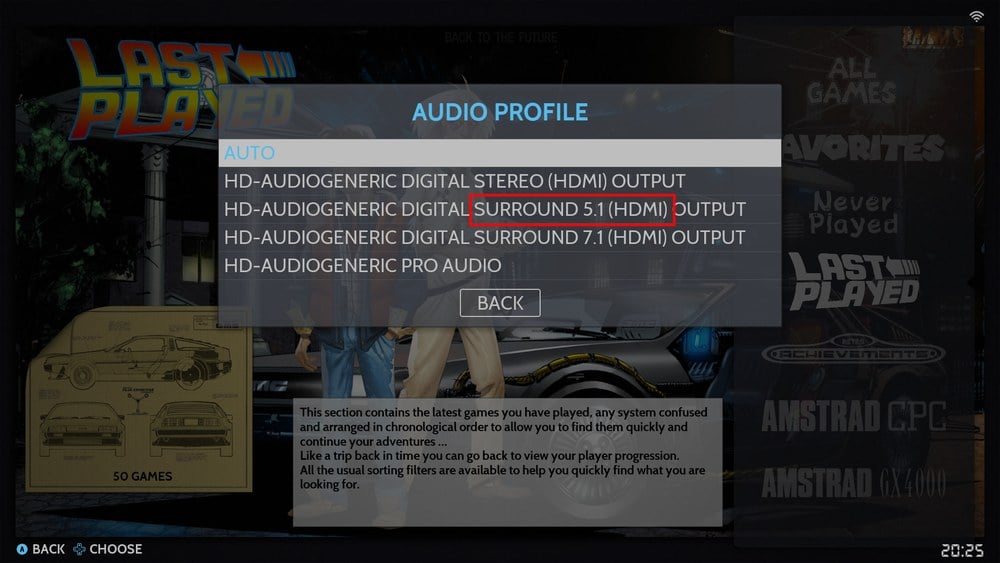
If you use Batocera, the sound is chosen from the main menu, in SYSTEM SETTINGS. According to its wiki:
- AUDIO OUTPUT: the sound output. Choose the jack output if you’re using the kit, or the HDMI one if the sound is coming from the monitor’s speakers. The names vary depending on the hardware, and the wiki advises trying them one by one and going back to the main menu after each change: since background music is playing, you’ll hear straight away whether it works.
- AUDIO PROFILE: the audio profile. If there’s no sound with any of the outputs, the wiki recommends changing profile and trying the outputs again, because the list changes with each profile.

What about a Pandora?
Pandora boards don’t run Batocera, but the kit connects the same way: the cable goes into their 3.5 mm jack output, which both the Pandora Box EX and the Pandora Box CX have. The CX also outputs sound over HDMI, according to its product page, in case you prefer the monitor’s speakers.
In your bartop
Frequently asked questions
Can I fit bigger speakers?
The holes in our cabinets are 3″, the size of the speakers in the kits and of the grilles. We don’t make holes in other sizes.
Do the speakers come with the cabinet?
Only if you choose the option with 10 W or 20 W speakers in the configurator. The sound kits can also be bought separately.
Do I need the amplifier if my monitor has speakers?
No. The sound reaches the monitor over HDMI, and in Batocera you just need to choose that output in AUDIO OUTPUT.
Does the kit work with a Pandora?
Yes. It connects to its 3.5 mm jack output with the cable that comes with the kit.
Sources
Consulted in November 2026:
- OmniRetro: product pages for the kits (speaker options), the 10 and 20 W sound kits, the 3″ grilles, the Philips 27E1N1100A and 24″ Philips monitors and the Pandora Box EX and CX.
- Batocera wiki: audio issues, EmulationStation menus and EmulationStation music.