
 Español
 Français
 Deutsch
 Italiano
 Português

 Mega Packs
 Arcade Cabinet Kits
 Vinyls
 Monitors
 Arcade Stools
 Arcade Components
 T-Molding and U-Molding
 Gaming furniture
 Outlet
Emulators
Horizontal shoot ’em ups on your arcade machine: Gradius, R-Type, Darius and more
Nov
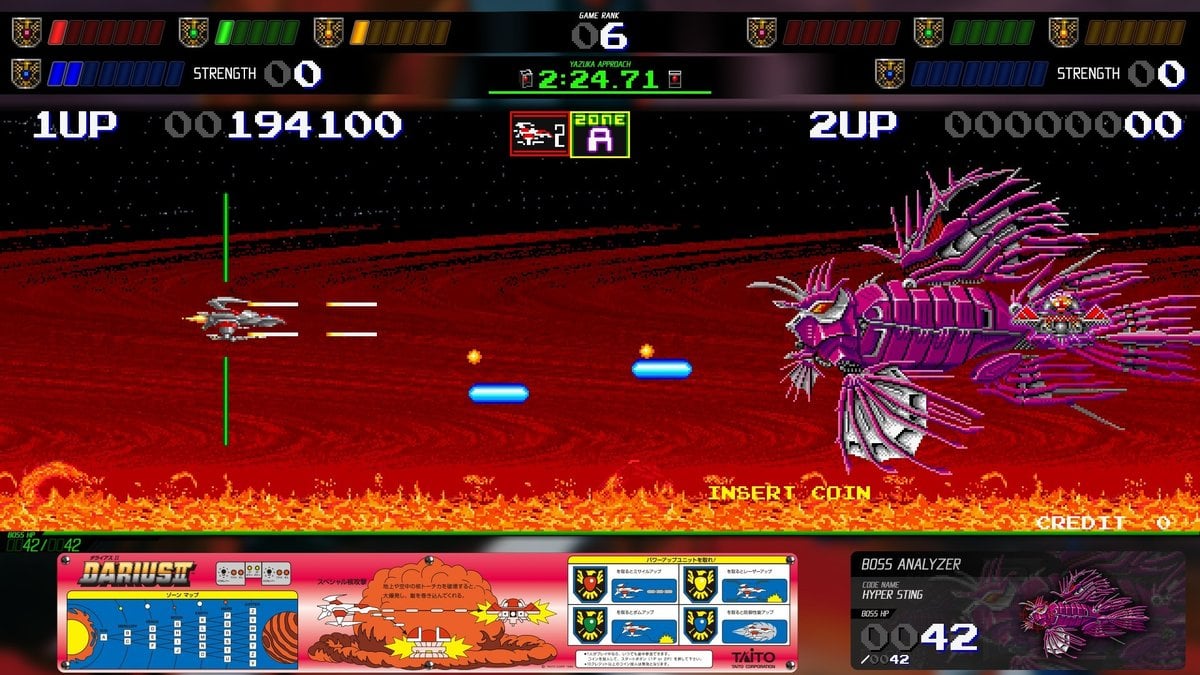
Vertical shoot ’em ups ask you to rotate the monitor or put up with two black bars at the sides. Horizontal ones do not: Gradius, R-Type, Darius or Blazing Star were drawn for a widescreen display, the same kind your bartop has. Switch them on and they fill the monitor from side to side, with nothing to rotate.
In this guide we go through fifteen horizontal arcade shoot ’em ups grouped by company, what happens with the multi-screen Darius games, how to turn on autofire and where you can buy them officially today. The data comes from the MAME 0.289 source code and FinalBurn Neo, from the libretro and MAME documentation, from the Pandora Box EX game list and from the Arcade Archives and Steam pages, all checked on 12 November 2026. You need your own copies of the games: we do not link to ROMs or downloads here.
Why they suit a bartop so well
Every game in this guide is marked as ROT0 in MAME 0.289, meaning the screen is horizontal, and FinalBurn Neo classifies them as horizontal shoot ’em ups. In practice that means they fill the whole monitor, with nothing to rotate and no borders at the sides. The only exception is the multi-screen Darius games, which have their own section further down.
It is the exact opposite of vertical games such as Image Fight or Air Duel, also from Irem, which MAME marks as rotated. If you like both types, Vertical games on your arcade machine explains what to do about the bars.
Another advantage: all the ones in FinalBurn Neo are two-player games, so a normal bartop with two sets of controls is enough. And in principle, the buttons on any two-player bartop are more than you need.
Konami: the Gradius series
- Gradius (1985): in Europe it was called Nemesis, and that is how it appears in MAME too.
- Salamander (1986): the American version is Life Force. Both work in MAME and FinalBurn Neo.
- Gradius II (1988): outside Japan it was released as Vulcan Venture. It works in both emulators, but it is not on the Pandora.
- Gradius III (1989): it works in both emulators and it is on the Pandora.
Here is a detail worth knowing before you assign the buttons. According to the MAME code, in Gradius button 1 is the power-up button, 2 fires missiles and 3 shoots. In Gradius III the order changes: 1 is still the power-up button, but 2 shoots and 3 fires missiles. If you play both with the same control panel, check the configuration for each one; we explain how in Setting up your arcade machine controls.
What about Gradius IV?
Gradius IV, from the late nineties, came out on a different Konami board, the Hornet. In MAME 0.289 it works with the sound marked as imperfect, FinalBurn Neo does not have it and neither does the Pandora. We have not found reliable data on how it runs on a Raspberry Pi, so if you are interested, plan on a PC; What PC do I need for emulation? tells you what to look at.
Irem: R-Type and company
- R-Type (1987): on Irem’s M72 board. It works in MAME and FinalBurn Neo.
- R-Type II (1989): the second part, also for two players and with no problems in both emulators.
- In the Hunt (1993): now on the M92 board, also with no problems in both emulators, which define two buttons for it.
All three are on the Pandora. One warning for the control panel: in R-Type and R-Type II, MAME and FinalBurn Neo use a common Irem input block with four buttons, so you will see four in the configuration. Assign the fire button first, try a game and fill in the rest as you go.
R-Type is also the only horizontal shoot ’em up we have a vinyl series for: the R-Type vinyls for bartop are also available for the bartop with pedestal, the wall-mounted one, the Big Wallcade and the four-player pedestal.
Darius: the multi-screen series
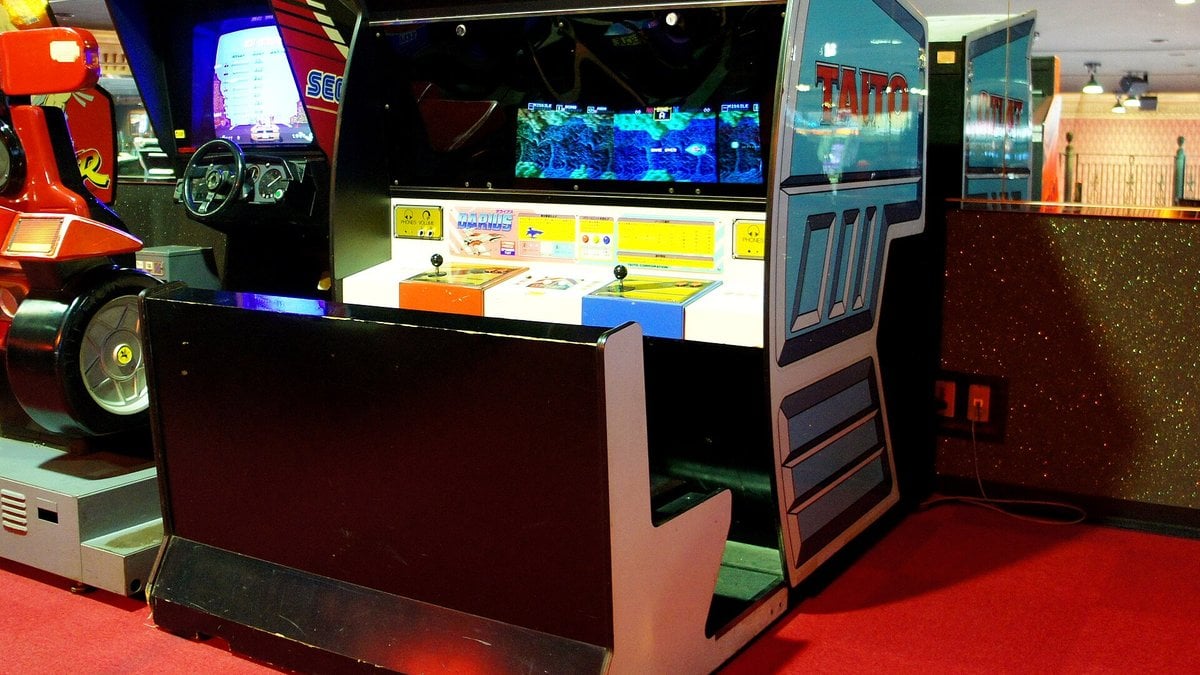
Darius, from Taito, dates from 1986 and was played on a cabinet with three screens. Darius II, from 1989, came in two versions: one with three screens and one with two, which also exists under the name Sagaia. And Darius Gaiden, from 1994, is a single-screen game on the Taito F3 board.
What the emulators do
- MAME defines three 288×224 screens for Darius. Its Triple Side-by-Side view puts them in a row, each at 4:3, and the Left Half and Right Half views show only part of it: the left screen and half of the middle one, or half of the middle one and the right screen. The three-screen Darius II comes with the same views. You choose the view with the
-viewoption or in the Video Options menu, and what you choose in the menu is saved for that game. - FinalBurn Neo merges everything into a single 864×224 image, with a 12:3 aspect ratio. The three-screen Darius II comes out the same, and the two-screen one at 640×224 and 8:3.
How much of your monitor it fills
Doing the maths, a 12:3 (that is, 4:1) image on a 16:9 monitor fills the whole width but only 44% of the height: you will see a narrow strip with a lot of black above and below. On a 4:3 monitor, 33%. The two-screen version of Darius II, at 8:3, reaches 67% of the height on a 16:9 and 50% on a 4:3.
MAME’s Left Half and Right Half views fill more of the height, but they cut off part of the playfield. In short:
- If you want the three-screen Darius, accept the bars or keep the game for a big monitor.
- For regular play on the bartop, the two-screen Darius II (Sagaia) is the best-looking of the multi-screen ones.
- And if you do not want bars, Darius Gaiden, at 4:3 and with a single screen.
In MAME, Darius II has the sound marked as imperfect, in both the three-screen and the two-screen versions. On the Pandora there is Darius II, although the list does not say which version, and Darius Gaiden; the first Darius is not there.
Neo Geo: three for the end
- Last Resort (1992), from SNK.
- Pulstar (1995), from Aicom.
- Blazing Star (1998), from Yumekobo.
All three are Neo Geo MVS games, work in MAME and FinalBurn Neo and are on the Pandora. The Neo Geo controller has four buttons, A, B, C and D, and the emulator defines all of them. What is specific to this board, from the emulator to the settings, is in Neo Geo on your arcade machine. If you want to dress the cabinet to match, we have Neo Geo vinyls in black, red and white.
And a lesser-known one: Rezon
Rezon is by Allumer, on a Seta board. MAME has two versions, one from 1991 and one from 1992, and both work, as they do in FinalBurn Neo. It is on the Pandora, and it has also just been released in Arcade Archives 2, as you will see in the re-releases section.
If your machine has a Pandora
The Pandora Box EX list includes Nemesis (the first Gradius), Salamander, Gradius III, R-Type, R-Type II, In the Hunt, Darius II, Darius Gaiden, Last Resort, Pulstar, Blazing Star and Rezon, in the arcade block. Gradius II, the first Darius and Gradius IV are left out, and the Life Force version of Salamander does not appear. The list does not say which board or version each game is.
Autofire without touching the cabinet
In a shoot ’em up you spend the whole game hammering the fire button. The Zero Delay interface in our catalogue does not mention any turbo function on its product page, so autofire is set up from the emulator.
In RetroArch (Batocera and RetroBat)
The FinalBurn Neo and MAME cores in Batocera and RetroBat run inside RetroArch, and the autofire is RetroArch’s: the FinalBurn Neo core does not have one of its own.
- Where it is: in Settings, Input, Turbo Fire. It is enabled by default, but it does nothing until you assign a turbo button, per player in Port 1 Controls or for everyone with Turbo Bind.
- The mode: there are four, Classic, Classic (Toggle), Single Button (Toggle) and Single Button (Hold). For the fire button to shoot by itself while you hold it, choose Single Button (Hold) and set Turbo Bind and Turbo Button to that same button.
- The speed: Turbo Period defaults to 6 frames, which according to the documentation is 10 presses per second at 60 frames per second.
In MAME
MAME has a plugin, Autofire, which you enable in the menu (Tab key), under Plugin Options. For each button you choose the input, the key that triggers the burst and how many frames it presses and releases, and it is saved per game. The documentation warns of a common mistake: if you use the fire button itself as the autofire key, holding it does not produce a burst, because the button never gets released. Use a different button.
Where to buy them today
The big Konami and Taito collections on Steam, such as Gradius Origins or Darius Cozmic Collection Arcade, are already covered in arcade collections for PC. Darius Cozmic Collection Arcade includes the two-screen version of Darius II and, on Steam only, lets you use two or three monitors. Besides those, on PC you have:
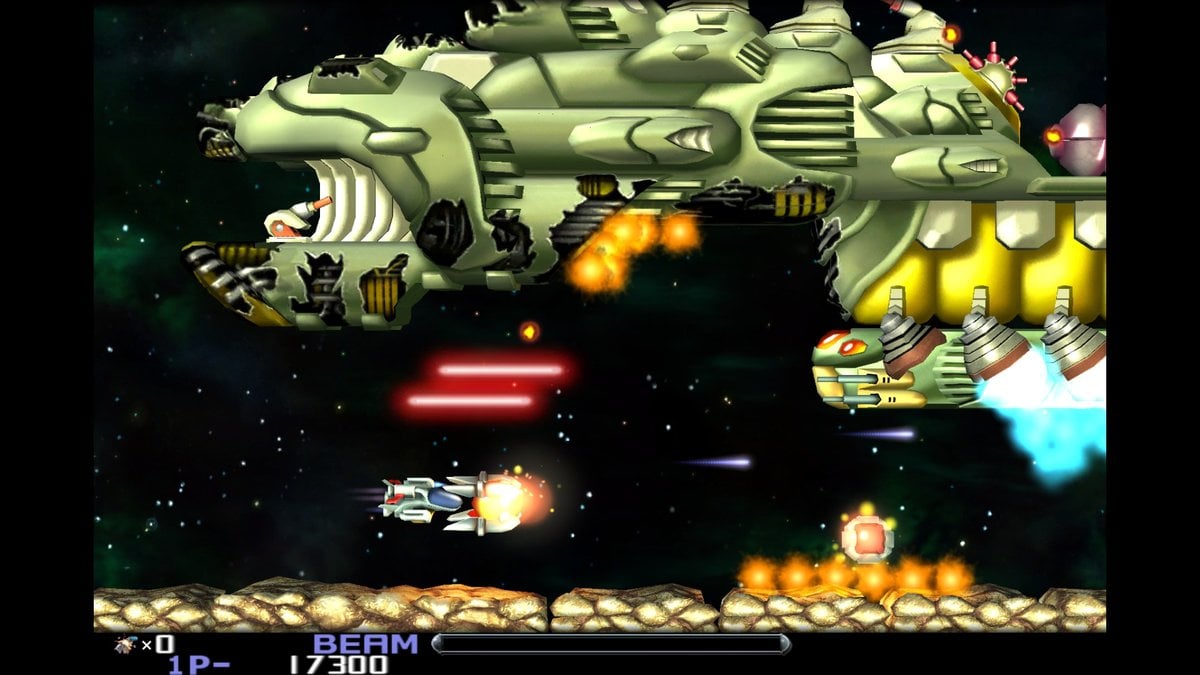
- R-Type Dimensions EX: R-Type and R-Type II, with the 8 levels of the first and the 6 of the second. You switch between 2D and 3D graphics with a button, and it has a classic mode, an infinite mode and local co-op. It came out in 2018 and is listed on Steam at €14.99. Watch out for R-Type Dimensions III, from 2026: it is a 3D remake, not the arcade game.
- Arcade Archives 2 REZON: released on 12 November 2026 for Switch 2, PS5, Xbox Series X|S and Windows PC, at $9.99. According to its page, it lets you remap the buttons and includes rapid-fire options, saves and rewind.
- Neo Geo Arcade Archives: the official pages for Last Resort, Pulstar and Blazing Star include Windows PC. Check that they are still on sale in the Microsoft store before counting on them.
- G-Darius HD: from Taito and M2, with both arcade versions of G-Darius, from 1997, now in polygons.
On console, the Arcade Archives series has Gradius, Life Force, Gradius II, Gradius III and In the Hunt as standalone titles for Switch and PS4, Darius only for Switch, and Darius II, in its three-screen version, for Switch and PS4. R-Type and R-Type II are not in the Arcade Archives catalogue.
Final tweaks
- The picture: these games benefit from a filter that imitates a tube screen. We cover it in CRT shaders on your arcade machine.
- The response: if the ship seems to react late to the joystick, Input lag on your arcade machine explains where that delay comes from and how to reduce it.
Frequently asked questions
Do they fill the whole bartop screen?
Yes, they are horizontal and fill the whole monitor. Only the multi-screen Darius games leave bars above and below.
Which is the best Darius for a bartop?
Darius Gaiden, which is a single-screen game. Of the multi-screen ones, the two-screen Darius II.
In principle, those of a normal bartop are more than enough. In R-Type and the Neo Geo games the emulator defines four.
How do I turn on autofire?
In Batocera and RetroBat, with RetroArch’s Turbo Fire. In MAME, with its Autofire plugin.
Sources
Checked on 12 November 2026:
- MAME 0.289 on GitHub: published release, drivers for Gradius, Gradius III, Irem M72 and Darius, and the Darius screen view.
- FinalBurn Neo: game list and drivers, on GitHub.
- MAME documentation: Autofire plugin and view option.
- libretro documentation: Turbo Fire.
- Game list for the Pandora Box EX.
- Arcade Archives: REZON, DARIUS II and GRADIUS.
- Steam: R-Type Dimensions EX, Darius Cozmic Collection Arcade and G-Darius HD.